👆
Build a filter from a message
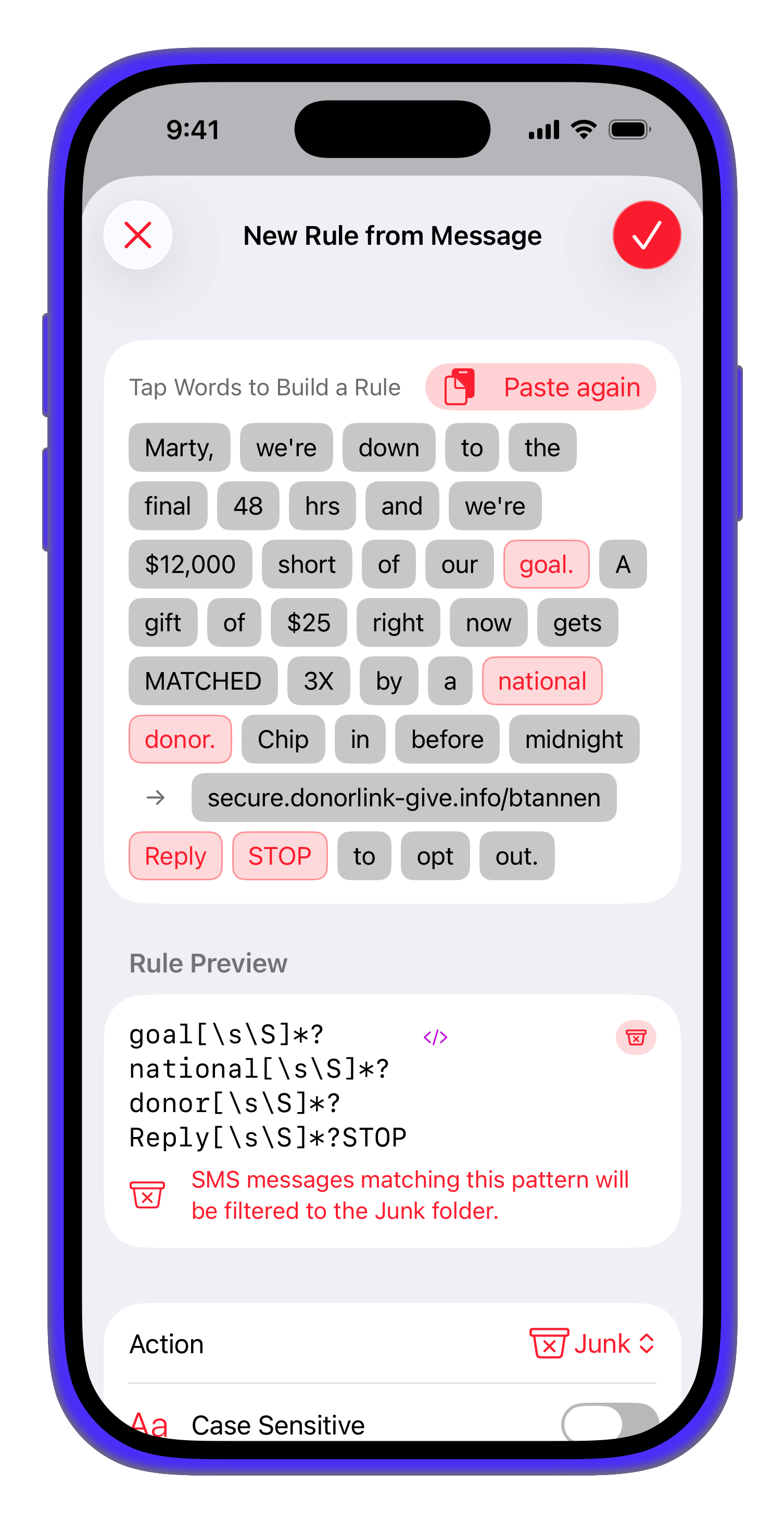
Got a spam text? Paste it in and tap the words that give it away — SmartFilter turns your selection into a rule. Tap non-adjacent words and it writes the regex for you.
On-device · Private · iOS
SmartFilter uses machine learning that runs entirely on your iPhone to sort junk, scams, promotions, and receipts away from your inbox — without sending a single message to a server.
Curated filter packs and custom rules, right inside the Messages app.
Control & transparency
Most spam filters are a black box. SmartFilter shows its work — and puts you in charge of it.
Got a spam text? Paste it in and tap the words that give it away — SmartFilter turns your selection into a rule. Tap non-adjacent words and it writes the regex for you.
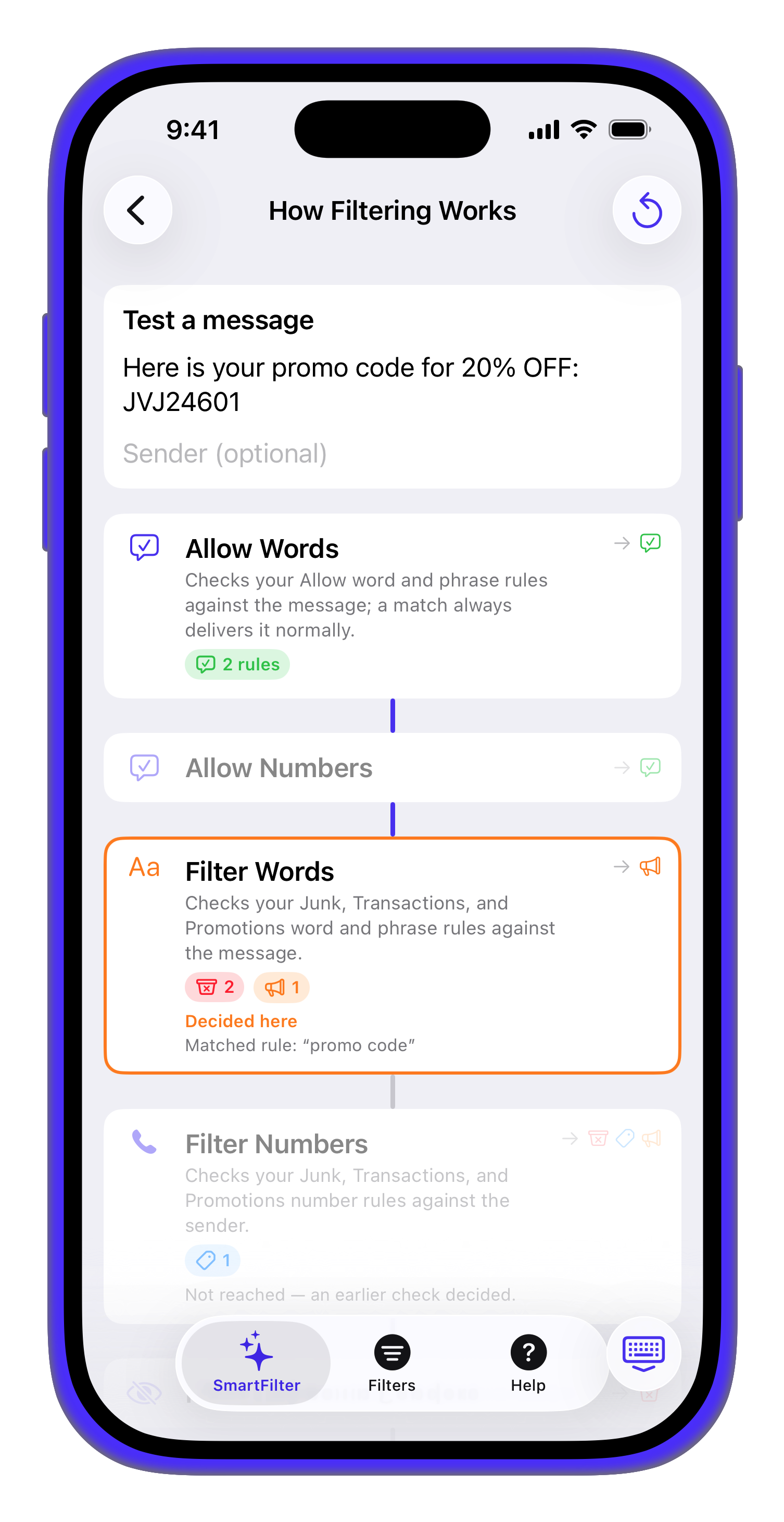
A live diagram traces every stage of the filter using your real rules and settings. Drop in a message and watch the exact path it takes, so you always know why it landed where it did.
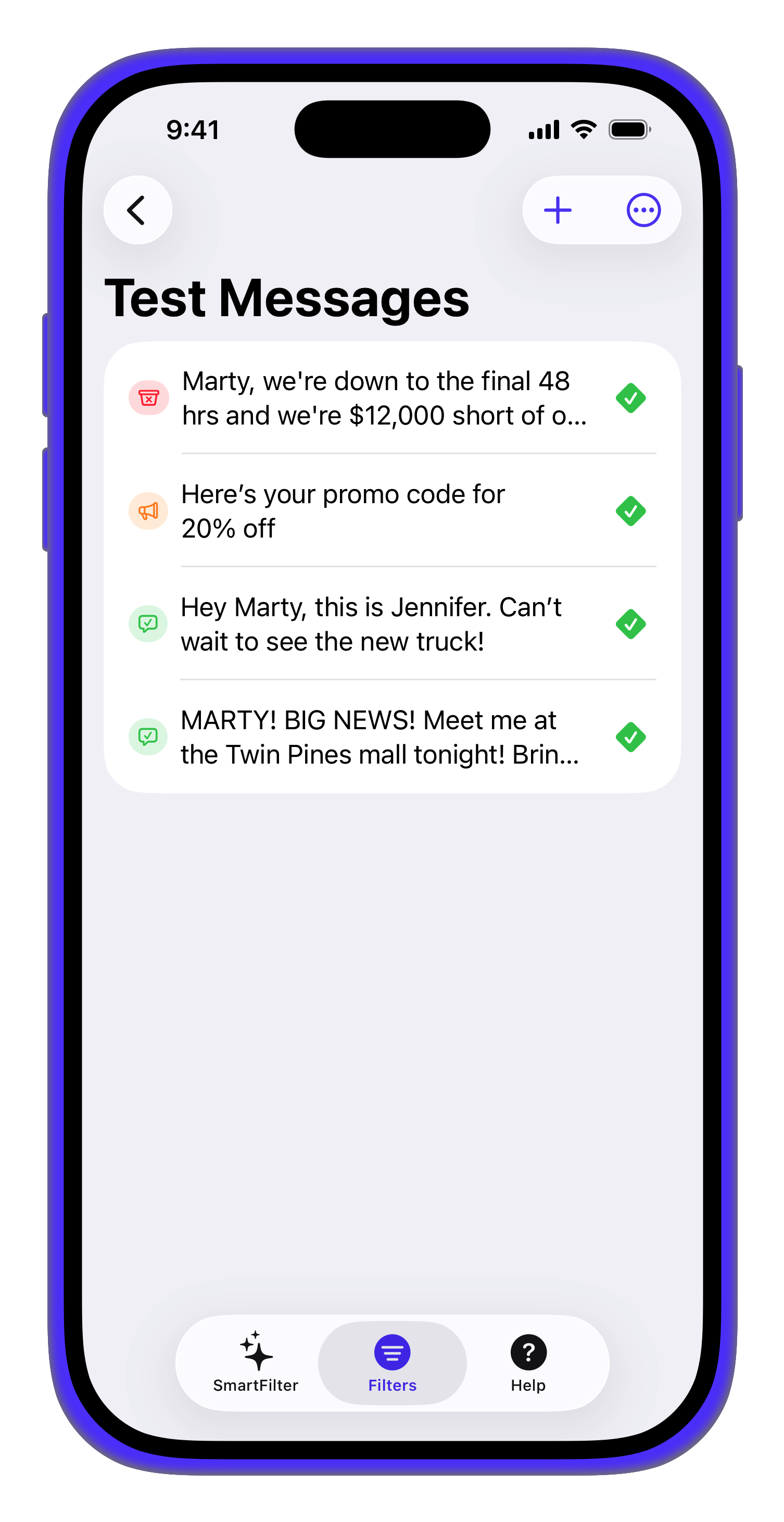
Save example texts with the result you expect, then check them against your rules any time. Change a filter and re-run to be sure nothing you care about slips through.
Powerful, customizable filtering that respects your privacy.
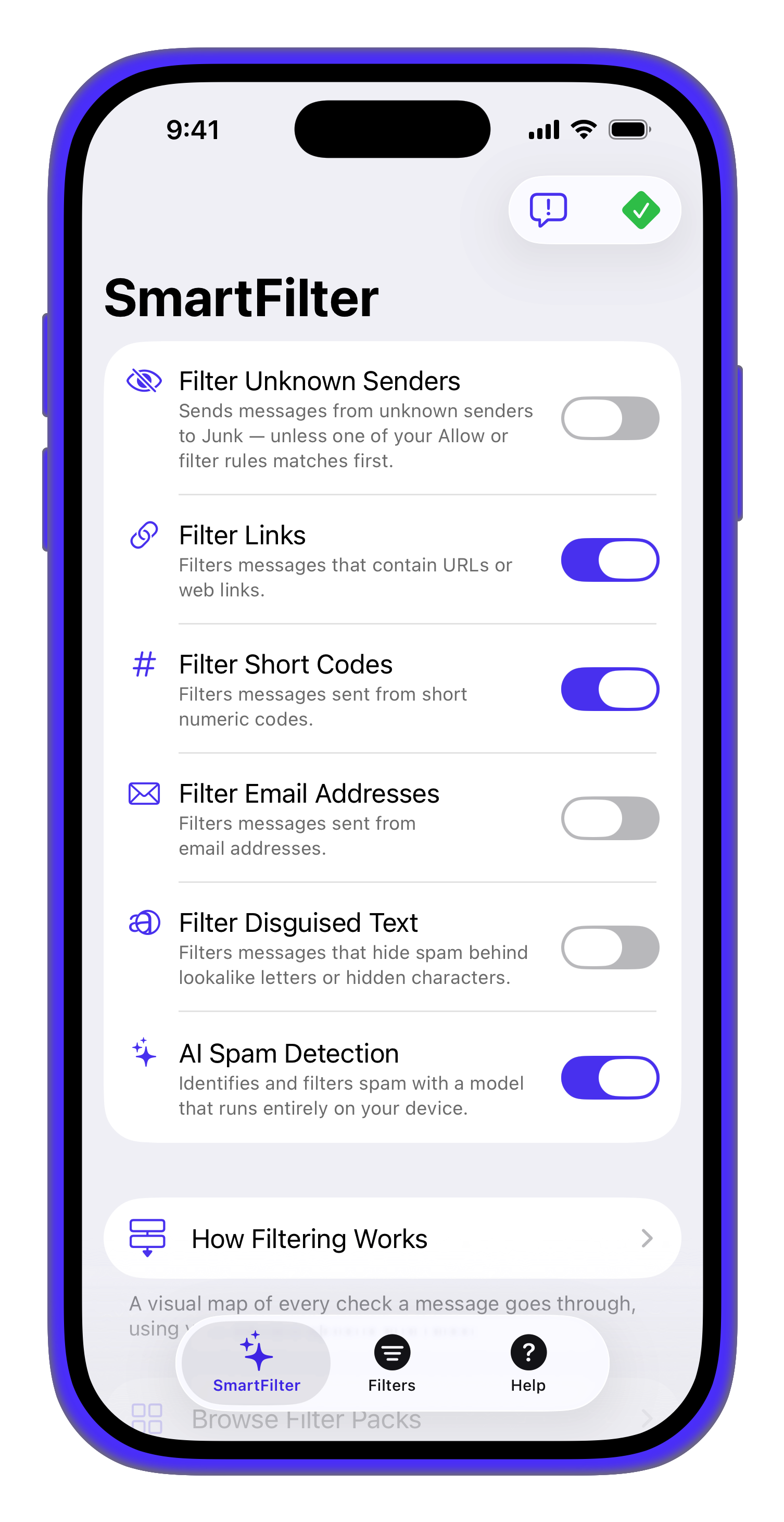
A Core ML model trained on real spam evaluates each message right on your iPhone. No text is ever sent to a server to be analyzed.
Messages are routed to Junk, Promotions, or Transactions — or allowed straight to your Inbox. Receipts and 2FA codes stay out of the noise.
Allow or block specific words and phone numbers. Allow-rules always win, so legitimate senders never get caught by mistake.
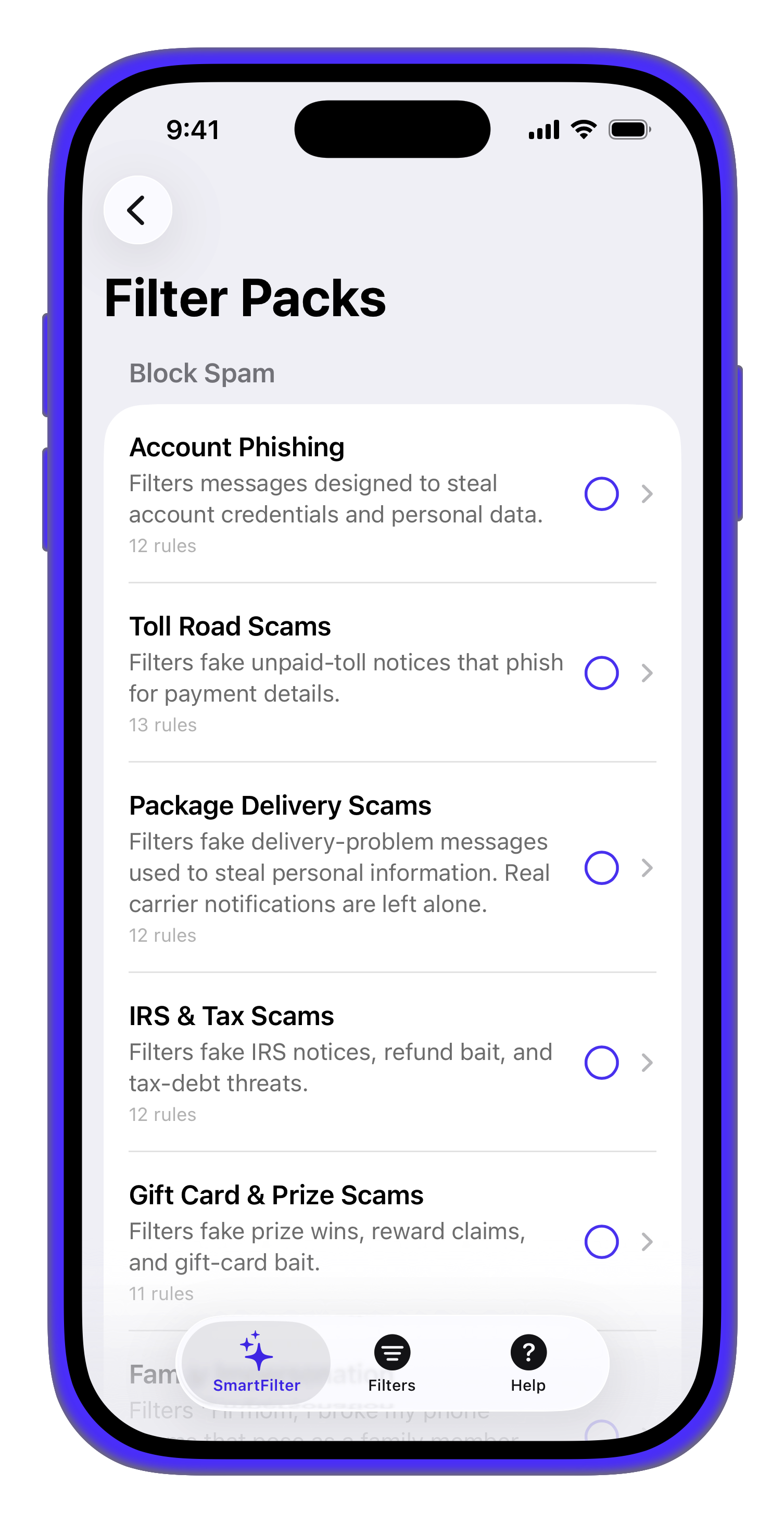
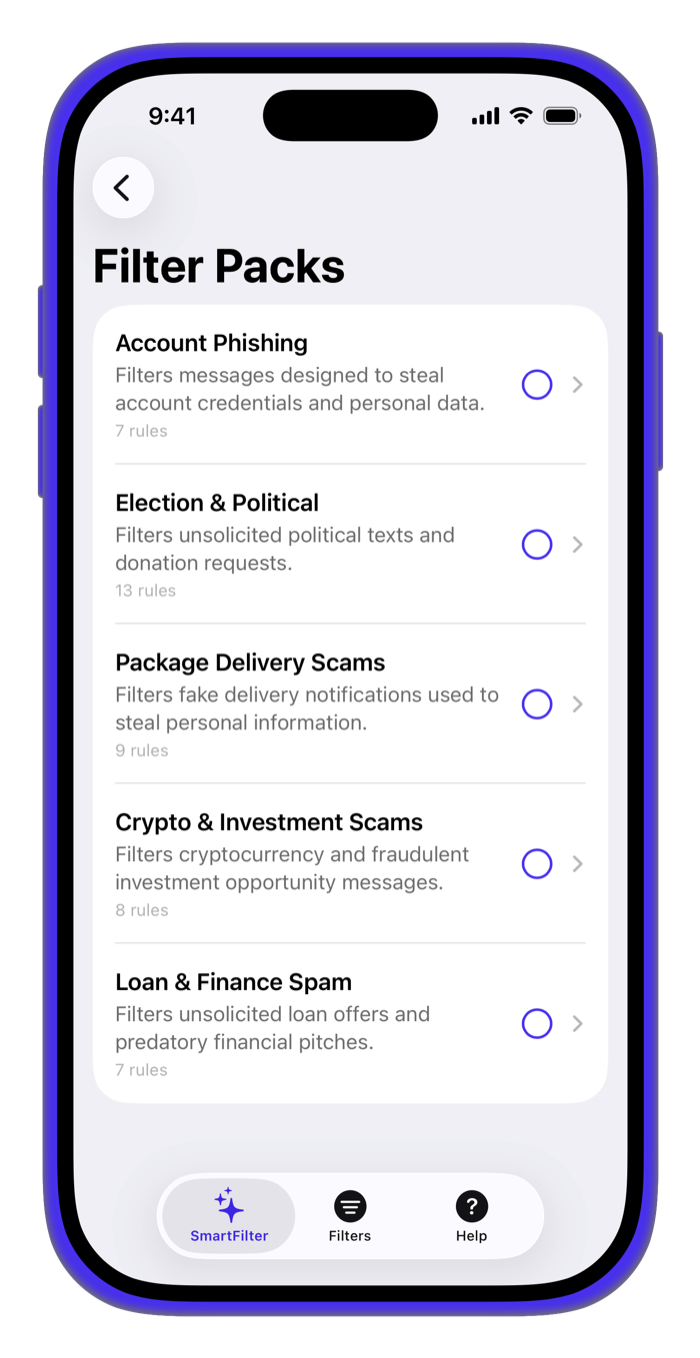
One-tap packs for account phishing, package-delivery scams, election spam, crypto schemes, and loan offers. Start protected on day one.
Optionally filter messages that contain URLs or come from the 5- and 6-digit short codes used for mass texting.
Spammers hide words behind look-alike letters and invisible characters. SmartFilter reads past the disguise — and can send any message that uses the trick straight to Junk.
Scam texts are often sent from an email address to dodge number blocks. Flip one switch to route every email-sourced message to Junk.
Report spam that slipped through, or a real message caught by mistake. Your opt-in reports refine the on-device model — and never include sender numbers.
Supporters unlock regular-expression filters, case-sensitive matching, unlimited rules, and a set of alternate app icons.
SmartFilter plugs into the message filtering built right into iOS.
Grab SmartFilter from the App Store and launch the guided setup wizard.
Settings → Messages → Unknown & Spam → turn on SmartFilter. The app shows you exactly where to tap.
Choose Light, Standard, or Maximum, and install the filter packs that fit you.
Texts from unknown senders are filtered automatically. Tweak the rules any time.
Privacy by design
Most spam filters route your texts through the cloud. SmartFilter doesn't. Every message is evaluated locally using Apple's on-device frameworks — there's no account to create and no message content to leak.
No. iOS only hands SmartFilter messages from unknown senders — people who aren't in your contacts and who you haven't replied to several times. iMessages and texts from known contacts are never seen by the app.
They're routed into the Junk, Promotions, or Transactions folders inside Apple's Messages app. Nothing is deleted — you can always review them.
SmartFilter shows its work. Open See how messages are filtered for a live diagram that traces any message through your rules and settings, step by step. You can also save example texts to the built-in test suite and re-run them whenever you tweak a rule — so a change never quietly breaks something you rely on.
SmartFilter relies on Apple's message-filtering extension, so it's iPhone-only. iOS 16 or later is recommended.
Yes — the core filtering, ML model, and the Account Phishing and Toll Road Scams packs are free. An optional supporter tip unlocks regex filters, unlimited rules, the premium filter packs, and alternate icons.
You stay in control. Add senders or keywords to your Allow lists and they'll always reach your inbox, overriding every other rule.

Free, private, and built for iPhone.
